Crossroads
Energy data platform, 2025
- My role
- Engagement leadI ran the onsite strategy workshop and led the product, the brand and the build
- Team
- Four from TurboMe, a product strategist, a designer and a front-end engineer, with the client’s engineers
- When
- Six weeks in 2025Summer 2025, from the kickoff to a working platform
- Built with
- React and TypeScriptThe client’s own design system, which we had rebuilt months before, with AG Grid and OAuth 2.0
The client wanted to become the fuel trade’s data hub, with no data platform.
The client already sold software across the refined-fuel market, every customer in its own environment and database, more than thirty of them in production. It wanted a platform of its own, kept apart from its other products. We had six weeks: an onsite strategy workshop that set the scope and the roadmap, then the brand, the platform and a launch site.
Read the full case
- The task
- Give a software company that already served the refined-fuel market one platform where every customer’s terminals, products, sites, tanks and counterparties map to one master set of reference data, and a brand to sell it under, in six weeks.
- The scope
- An onsite strategy workshop, a roadmap of four releases after the first and a pitch deck, the logo and brand, a launch site, and the platform’s first release: master data, mapping, exceptions, integration monitoring, environments and sign-in.
- On screen
- The product’s own screens on its demo tenants, its brand’s own files and its launch site.
The six weeks
2025
As planned with the client.
- Weeks 1 and 2KickoffThe plan reviewed with the client’s team, the logo begun, and an onsite strategy workshop.
- Weeks 3 and 4The platformMaster data, mapping and exception handling, built on the client’s own design system.
- Weeks 4 to 6Roadmap and launchIntegration status, environments and sign-in, then the roadmap, a pitch deck and the launch site.
- Week 6ResultA working multi-tenant platform, with its brand and a launch site.
The problem
Every company named the same terminals and products its own way, so integrations broke.
Refined fuel moves from refineries through terminals and carriers to retail sites, and every company along the way keeps its own records of the same places and products. Integrations between them were built one company and one system at a time, and when one failed on a mismatched record, nobody could see which.
One order, one missing link
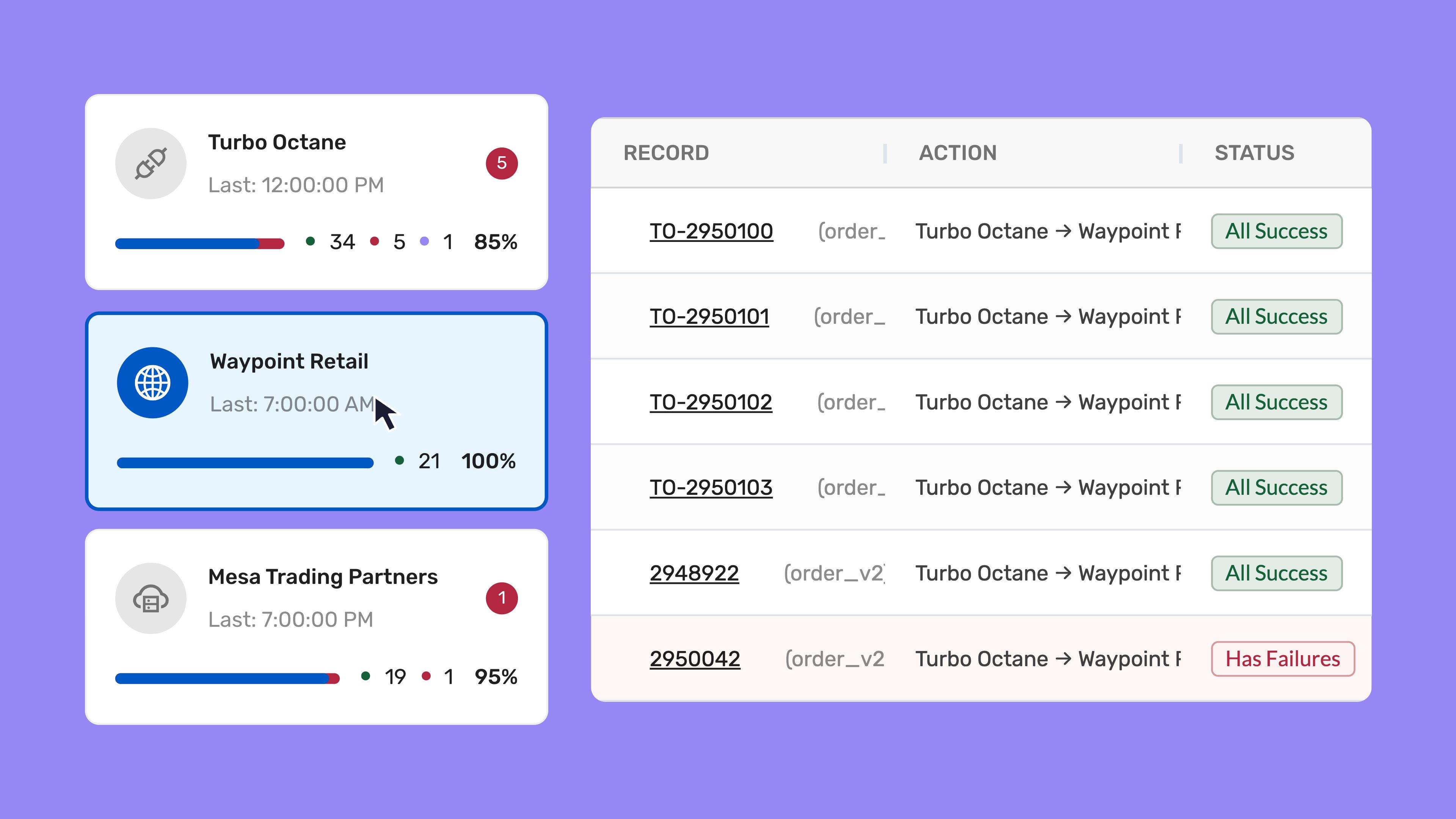
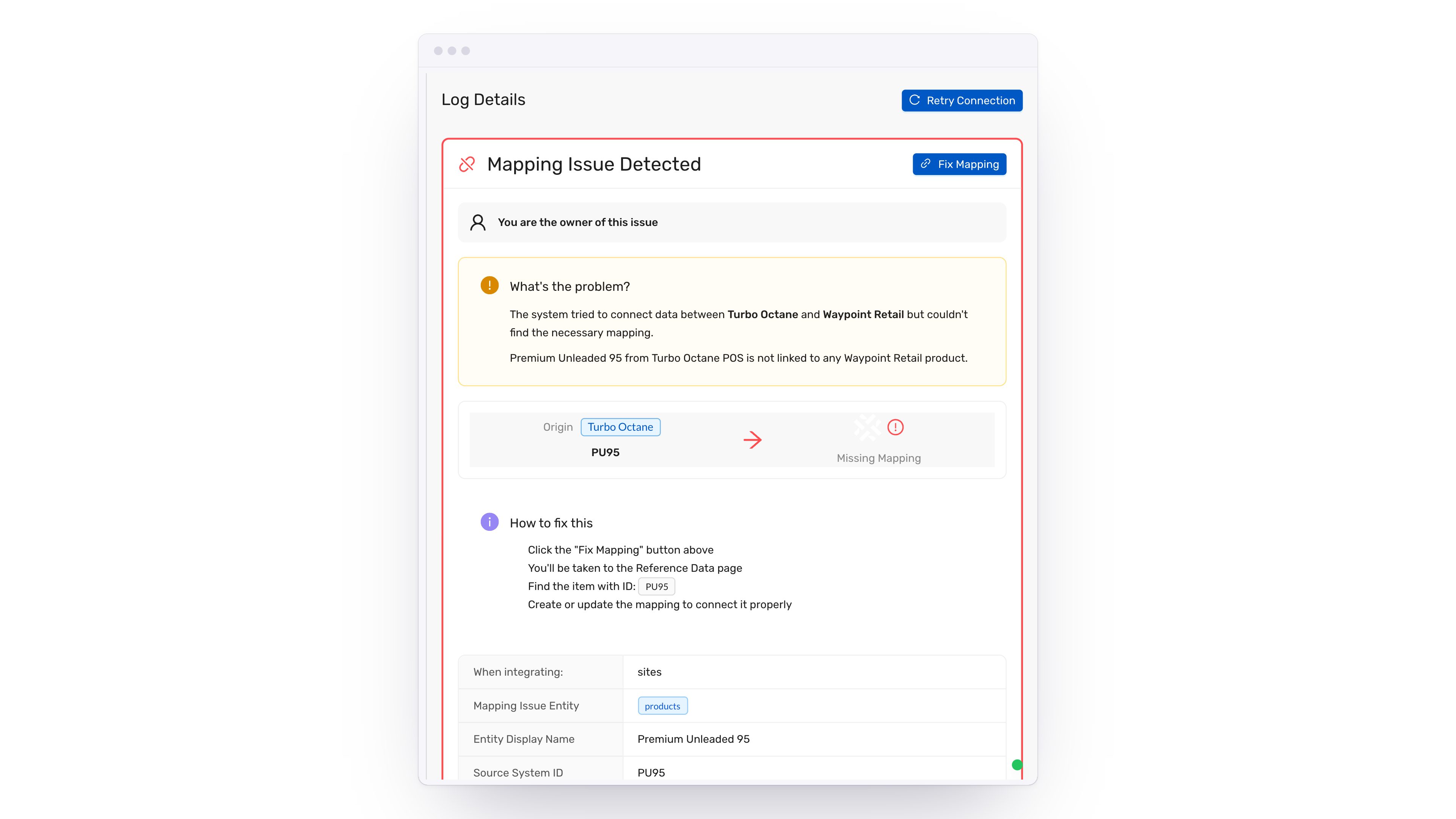
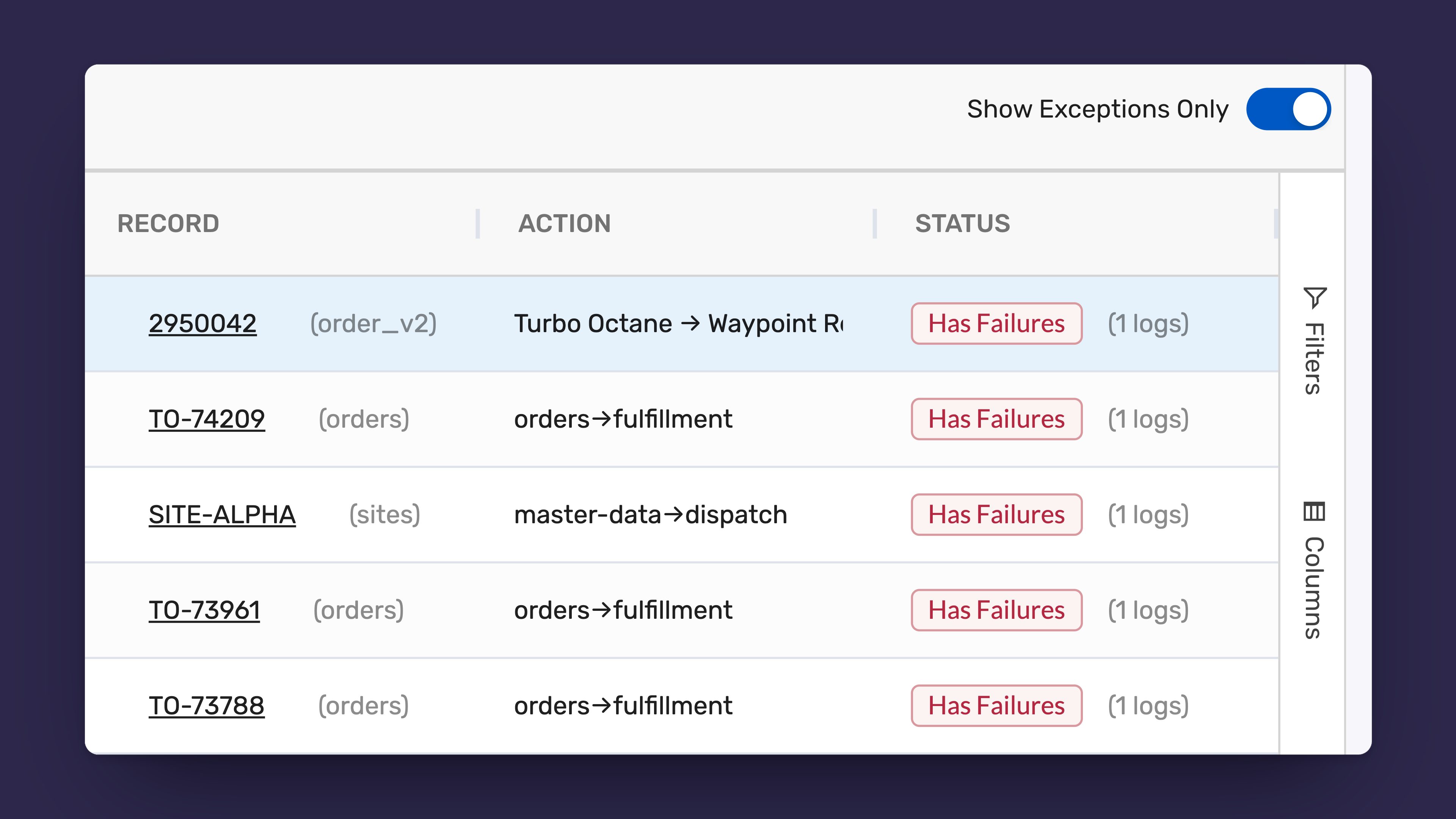
Order 2950042 in the product's demo data: one load from a fuel depot to a retail site, sent by the Turbo Octane tenant to Waypoint Retail's.
Premium Unleaded 95 had no link to any product Waypoint Retail knows, so the whole order stopped on its way across.
Production environments
30+
Each customer ran in its own environment and database, with its own records of the same terminals, products, sites, tanks and counterparties.
How integrations were built
One company and one system at a time, each its own project.
The approach
Every company’s records would map to one master set that integrations pass through.
The onsite workshop put master data at the core. Each tenant maps its own terminals, products, sites, tanks and counterparties to one master set, so a record crossing between two tenants meets at the hub, and a missing link shows where it stops. The backend describes every kind of record, and the screens build from that description.
Every record through one hub
Each company’s records
Its own names for the same things
Customer environments30+
Each its own database
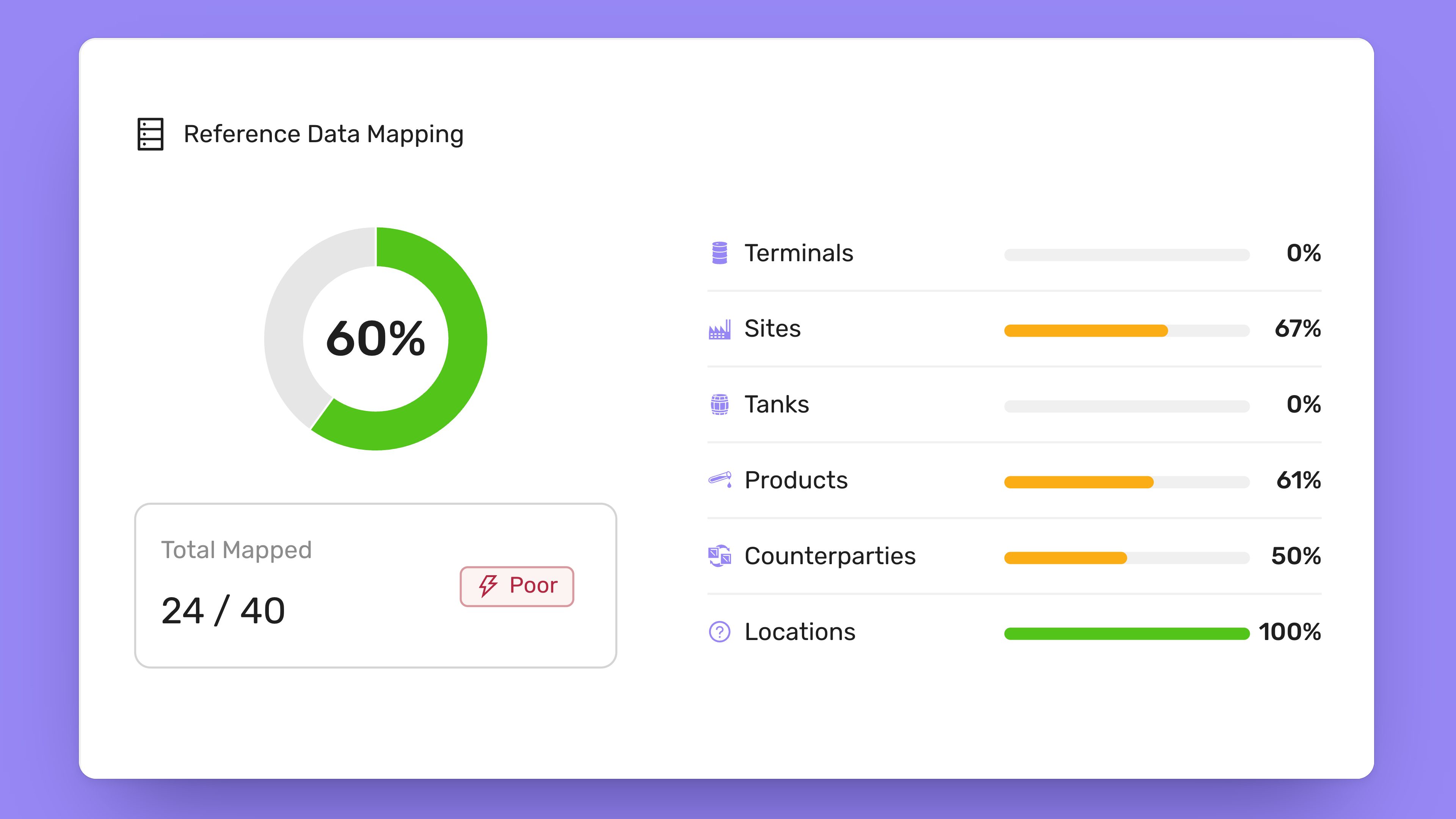
A demo tenant’s records40
Turbo Octane: 24 of them mapped
Premium Unleaded 95
Code PU95, with no link to the hub
One master set
A GOID for every record
The master set
Five kinds, built from the backend
- Terminals
- Products35
- Sites
- Tanks
- Counterparties
What reads it
Integrations and two screens
Integrations between tenants
Every record meets at the hub
A tenant’s own screens
Mapping, health, failures
The operations screen
Every tenant at once
- Customer environments to The master set: mapped kind by kind
- A demo tenant’s records to The master set: 24 of 40 mapped
- Premium Unleaded 95 to The master set: no link
- The master set to Integrations between tenants
- The master set to A tenant’s own screens
- The master set to The operations screen
Master data
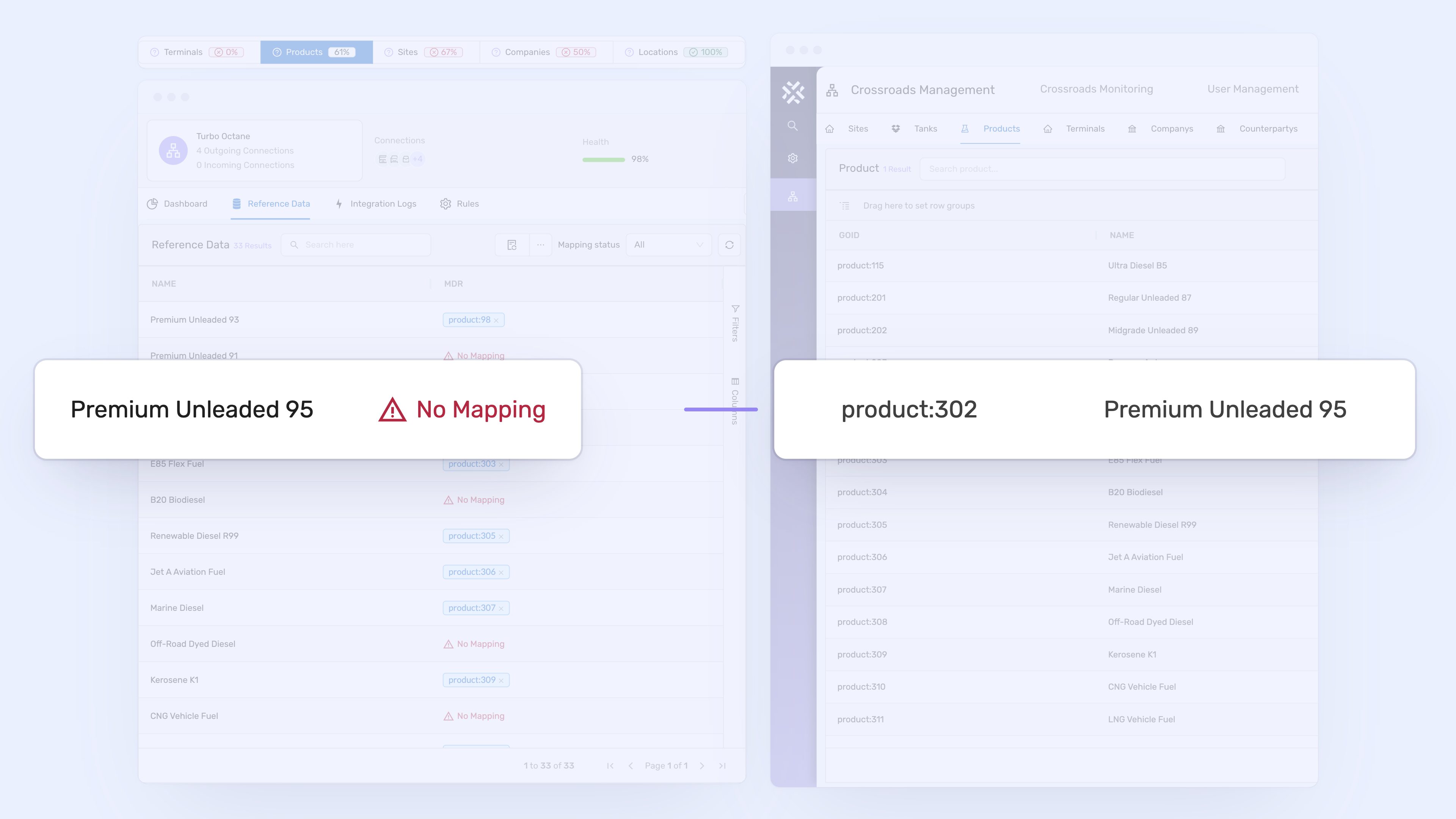
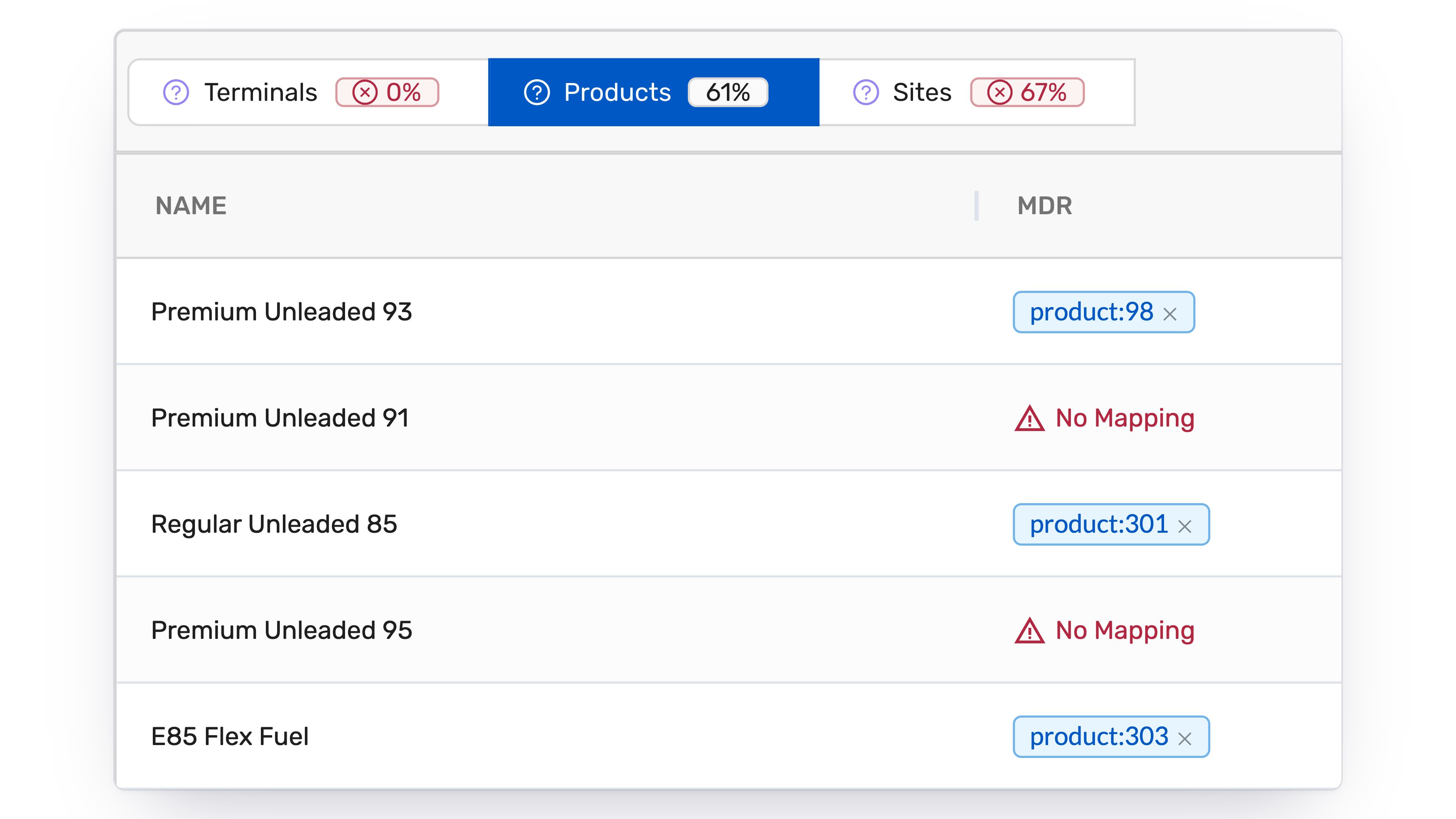
Two companies’ names for the same product now meet at one master record.
Every tenant’s terminals, products, sites, tanks and counterparties map to one master set, each master record with its own GOID. A tenant sees its own names beside the master list, mapped or not, kind by kind. The grids, search, bulk import and edit forms for all five kinds build from the backend, so a new kind or field ships without a frontend release.
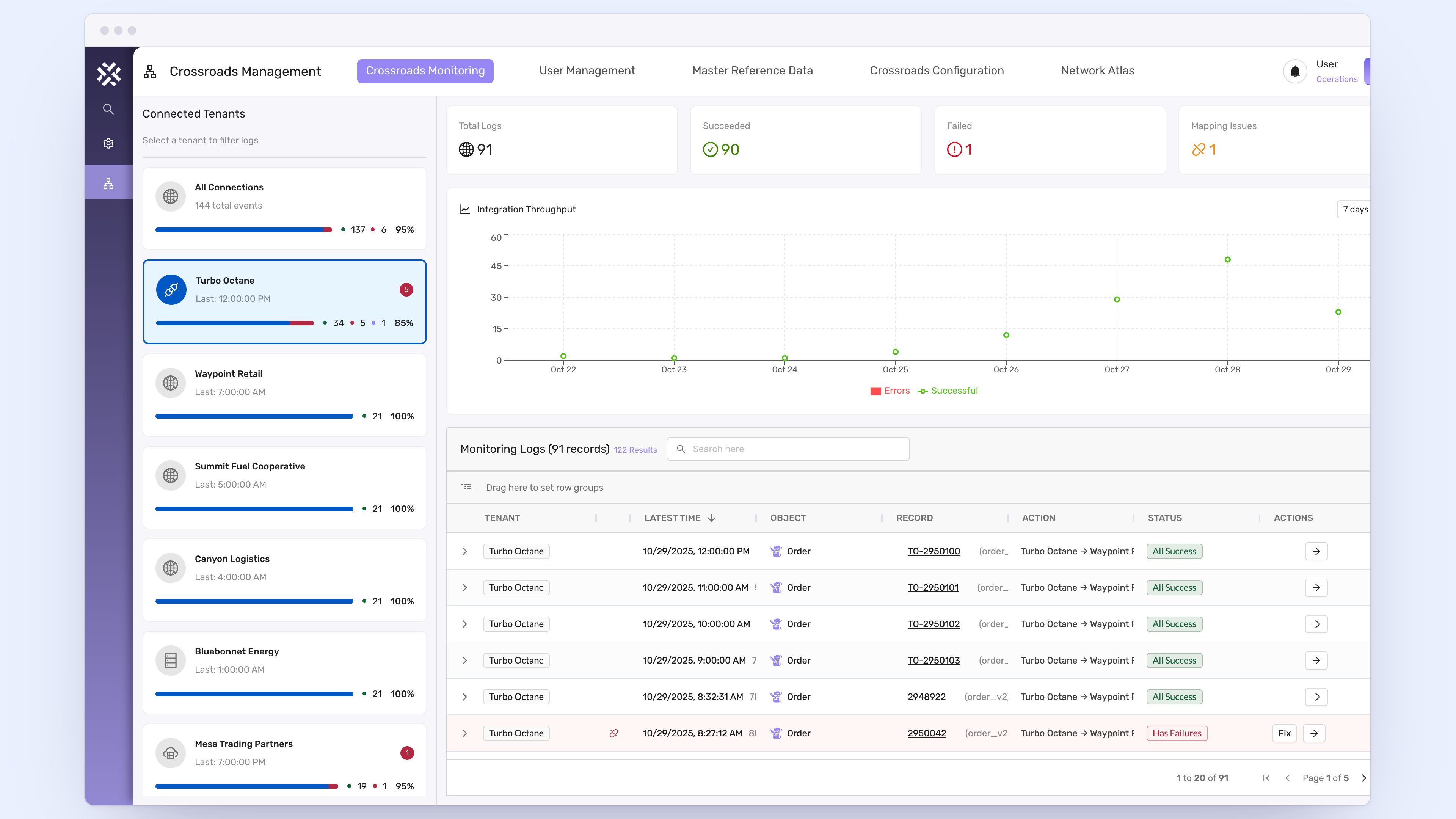
Tenant monitoring
A failed record now opens to the mapping that stopped it.
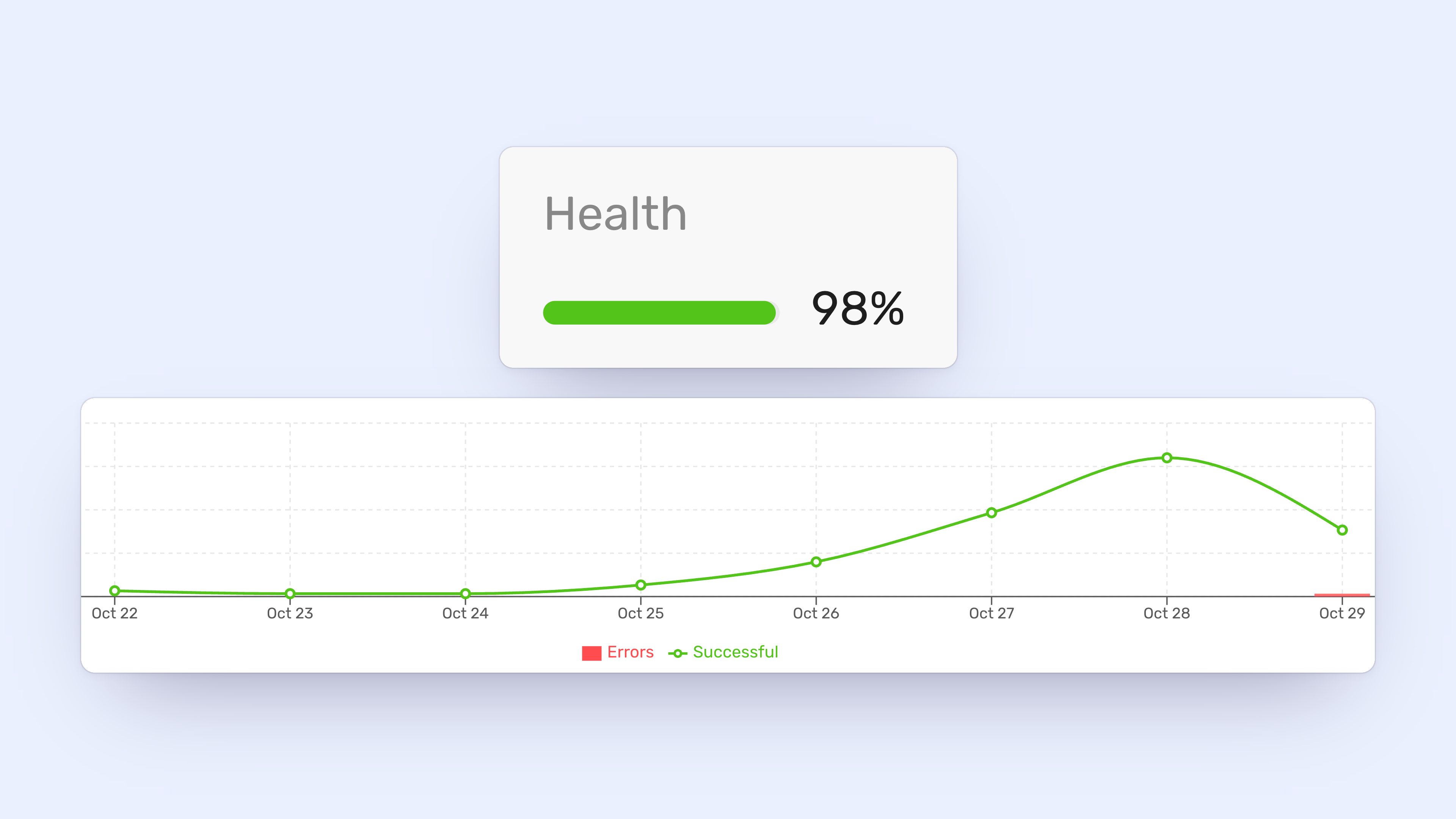
Each tenant sees its own integration health, throughput and failures, with an integration log of every record that moved. A failed order opens to a panel that names the record without a link, says what is missing and how to fix it, and leads to the mapping.
Across tenants
The client’s operations team now watches every tenant’s integrations on one screen.
Intake, throughput and alert queues for every tenant sit on one screen, and the team moves between tenants to troubleshoot without signing in again.
The brand
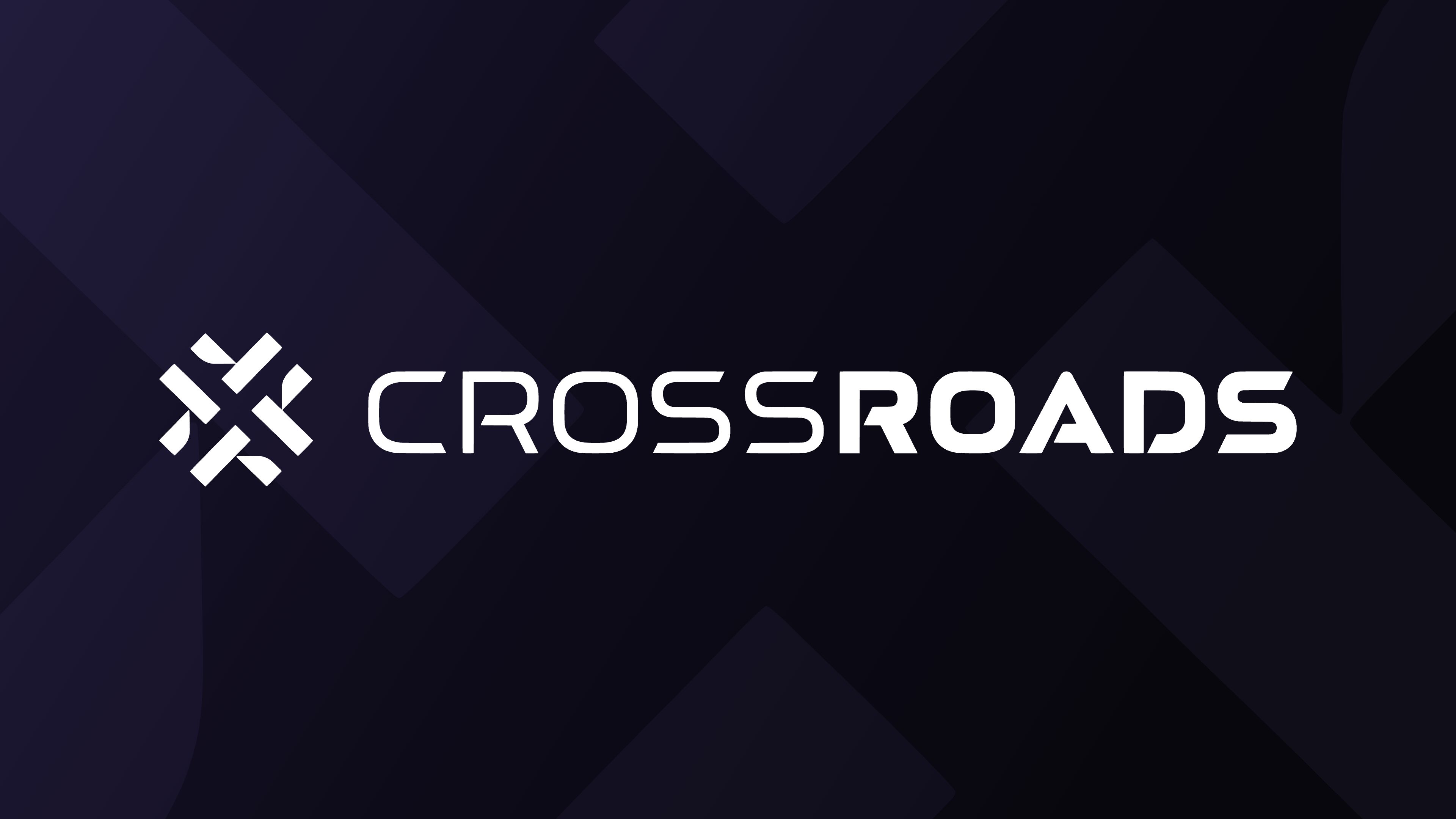
Crossroads got its own brand, a mark of strokes meeting at one crossing.
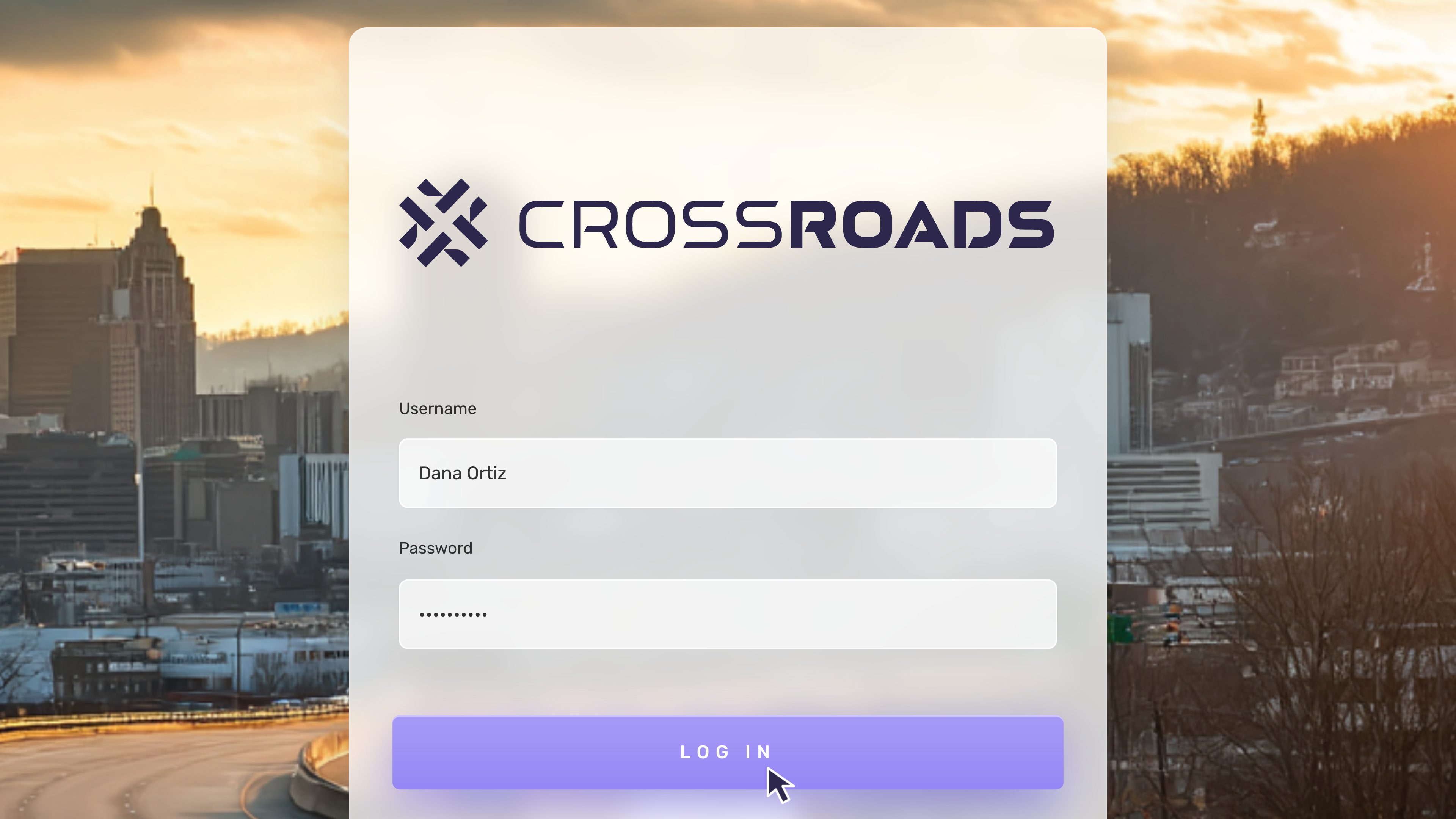
The client wanted the platform set apart from its other products. Its mark crosses strokes into one X, the way every company’s records meet at the hub, beside a wordmark set light and bold. Mona Sans and a violet palette carry it through a guidelines deck, the sign-in and the launch site.

The launch site
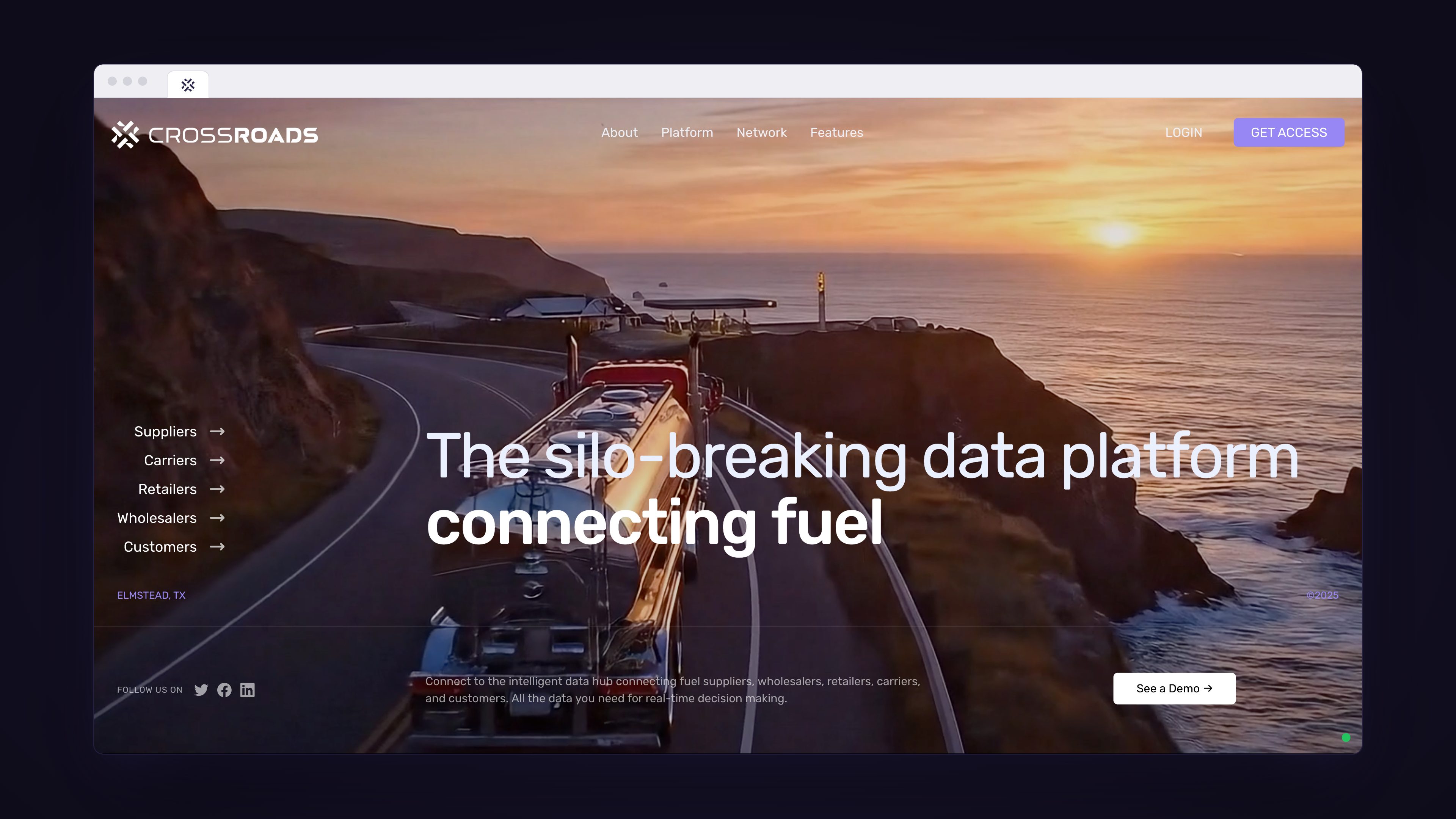
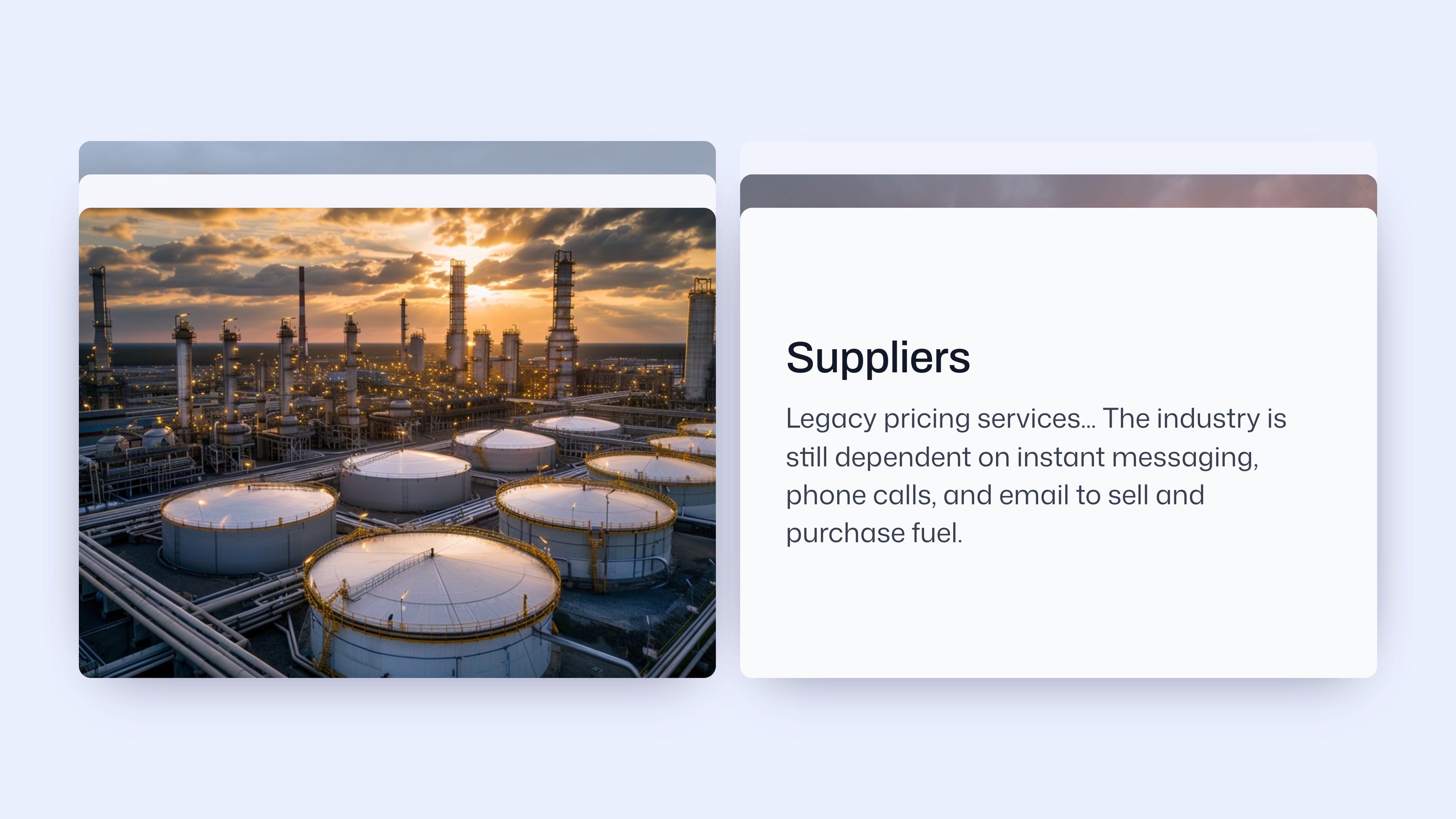
The launch site speaks to each company in the supply chain by name.
It opens on the platform in one line and the five kinds of company it connects: suppliers, wholesalers, retailers, carriers and customers. Each meets its own problem before the platform that answers it, under the same brand as the product.
The result
Six weeks gave the client a working platform, a brand and a launch site.
Onboarding a customer became configuration: its records map to the master set, the screens build from the backend, and a failed record shows the operations team where it stopped.
The result, in short
Reference data
One master set
from 30+ separate environments
Every tenant’s terminals, products, sites, tanks and counterparties map to it
Adding a customer
No engineering
from A consulting project per company and system
Operators onboard a customer and map its records themselves
Failed integrations
Seen on one screen
from No view across environments
A failed record opens to the mapping that stopped it
Screens built from the backend
5 entity types
A new kind or field ships with no frontend release
Kickoff to working platform
6 weeks
With its brand and launch site